On this page
On this page
RFC 2217 server (share this machine's serial port)
An RFC 2217 server exposes this machine's physical serial port over TCP. A remote client can not only exchange data but also change baud rate, framing, flow control and DTR/RTS — that control travels over the same connection as the data.
Plain TCP forwarding only carries bytes. If the remote side must change baud rate, parity or control lines, both ends must use RFC 2217.
The client must be able to reach this machine's IP address and listening port directly. This usually means the same LAN or an already connected VPN. For the trade-off between the three remote paths, see Choosing a remote access path.
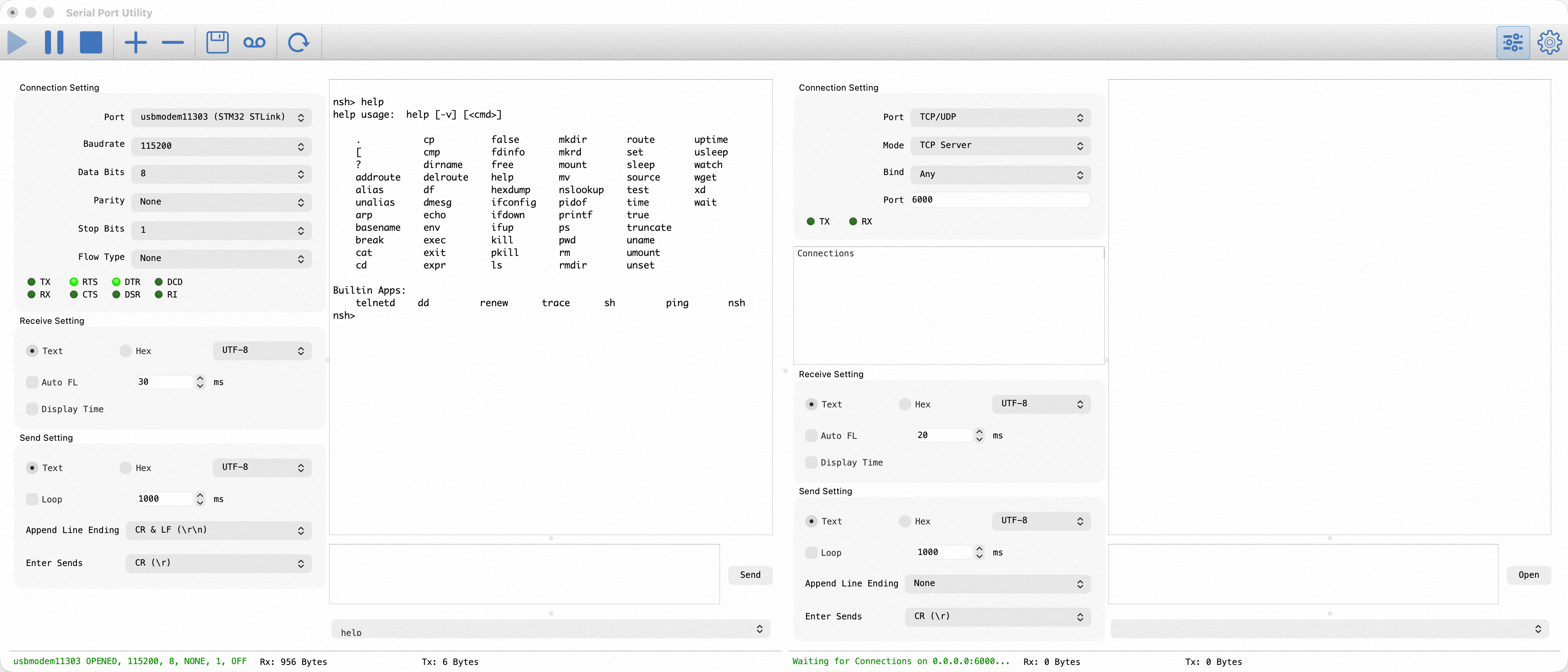
The site needs two connections: one opens the physical serial port and one listens as a TCP Server. An RFC 2217 bridge joins them.
- Configure the first connection for the device's physical serial port and match the parameters in its manual.
- Choose Edit → Add Port for the second connection; pick TCP/UDP, then choose TCP Server.
- For another machine, listen on
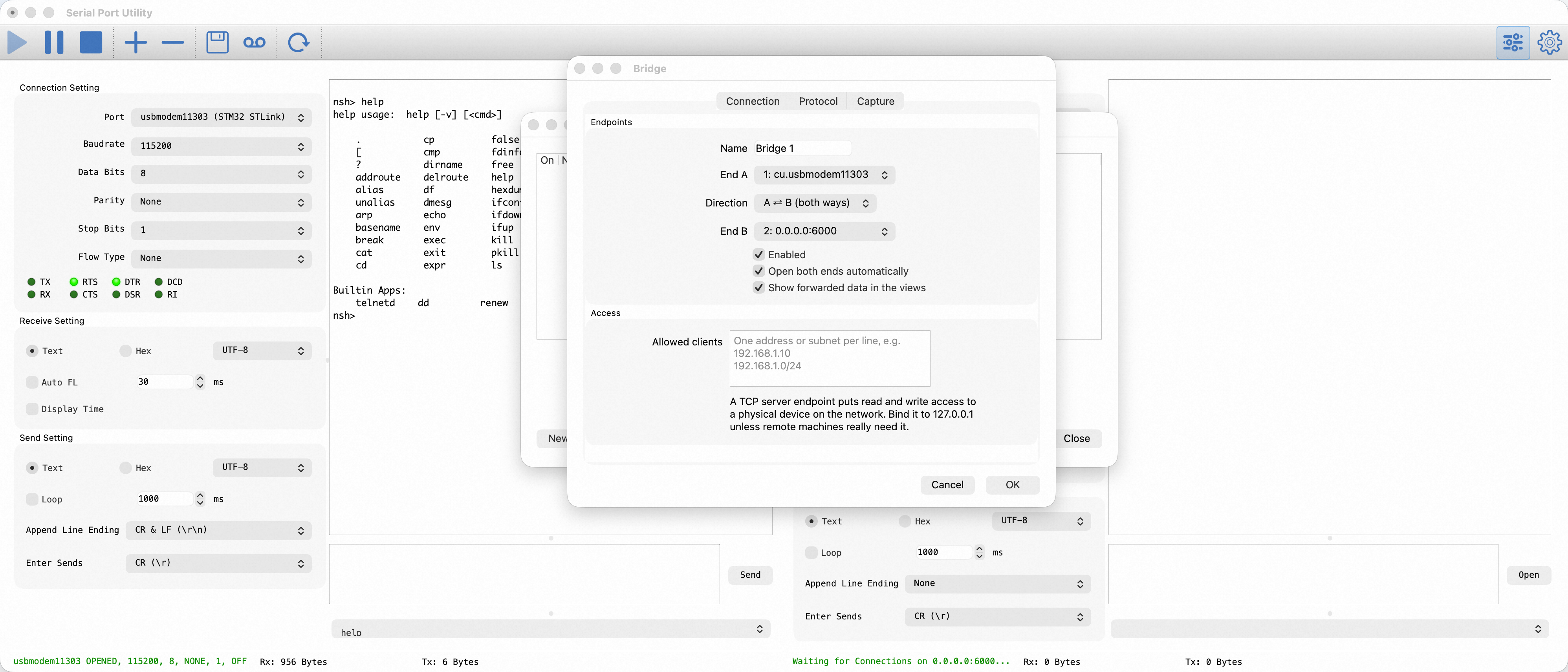
AnyIPv4or the site's LAN address and enter a port such as6000. A server bound to127.0.0.1cannot be reached remotely. - Open Tools → Bridges… → New, choose the serial port and TCP Server as the two ends, and select A ⇄ B (both ways).
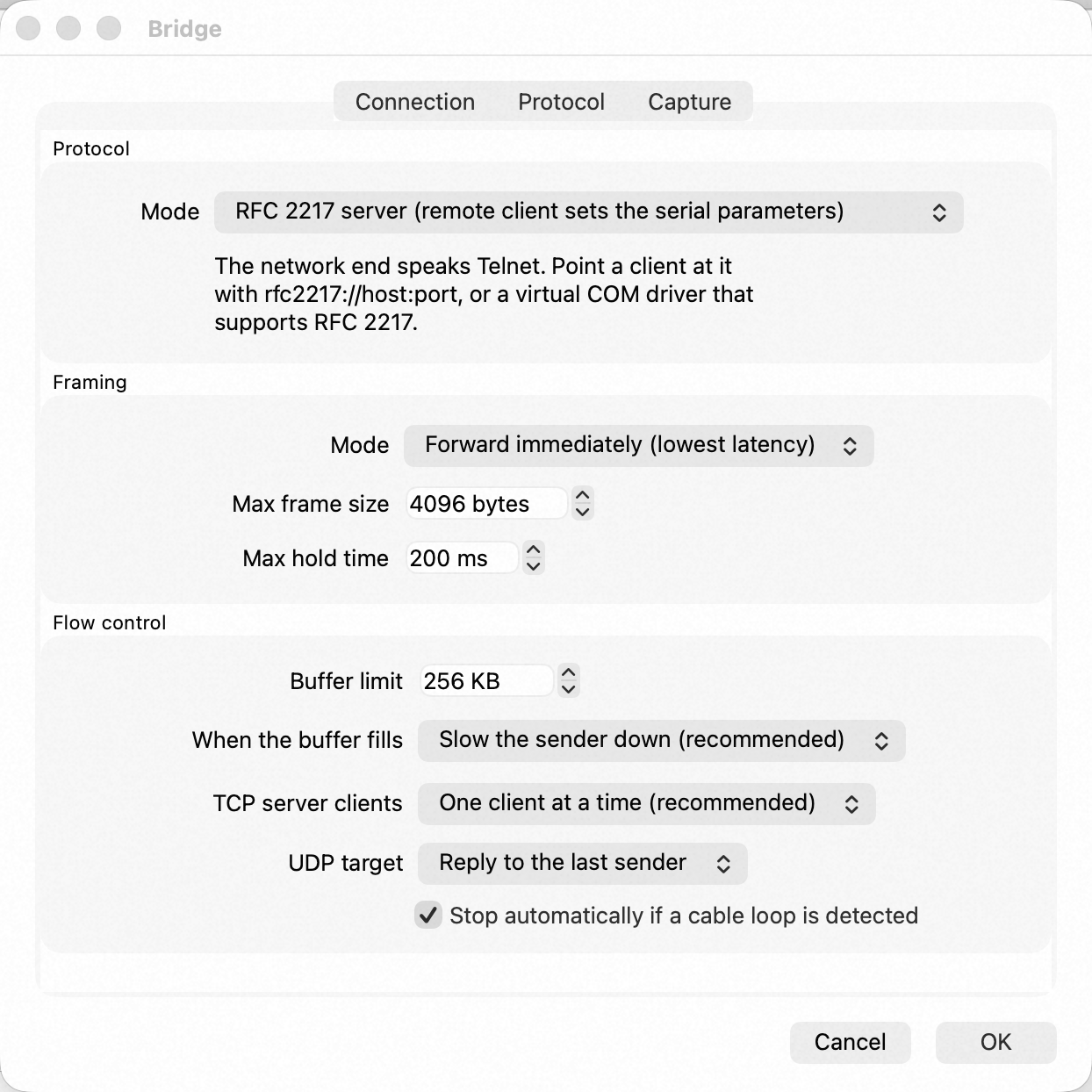
- Enable the bridge and Open both ends automatically. On Protocol, choose RFC 2217 server and keep Forward immediately framing.
- Keep One client at a time.
Access control and security
An empty Allowed clients list does not restrict the source. To restrict access, enter trusted IP addresses or CIDR subnets there, one per line.
RFC 2217 provides no encryption or authentication. Do not expose it directly to an untrusted public network. Prefer a LAN or trusted VPN, and allow the selected port through the host firewall.
Server-side checks
Confirm this end is ready before telling the remote to connect:
- The TCP Server connection shows that it is waiting or connected, on the same address and port you will give the client.
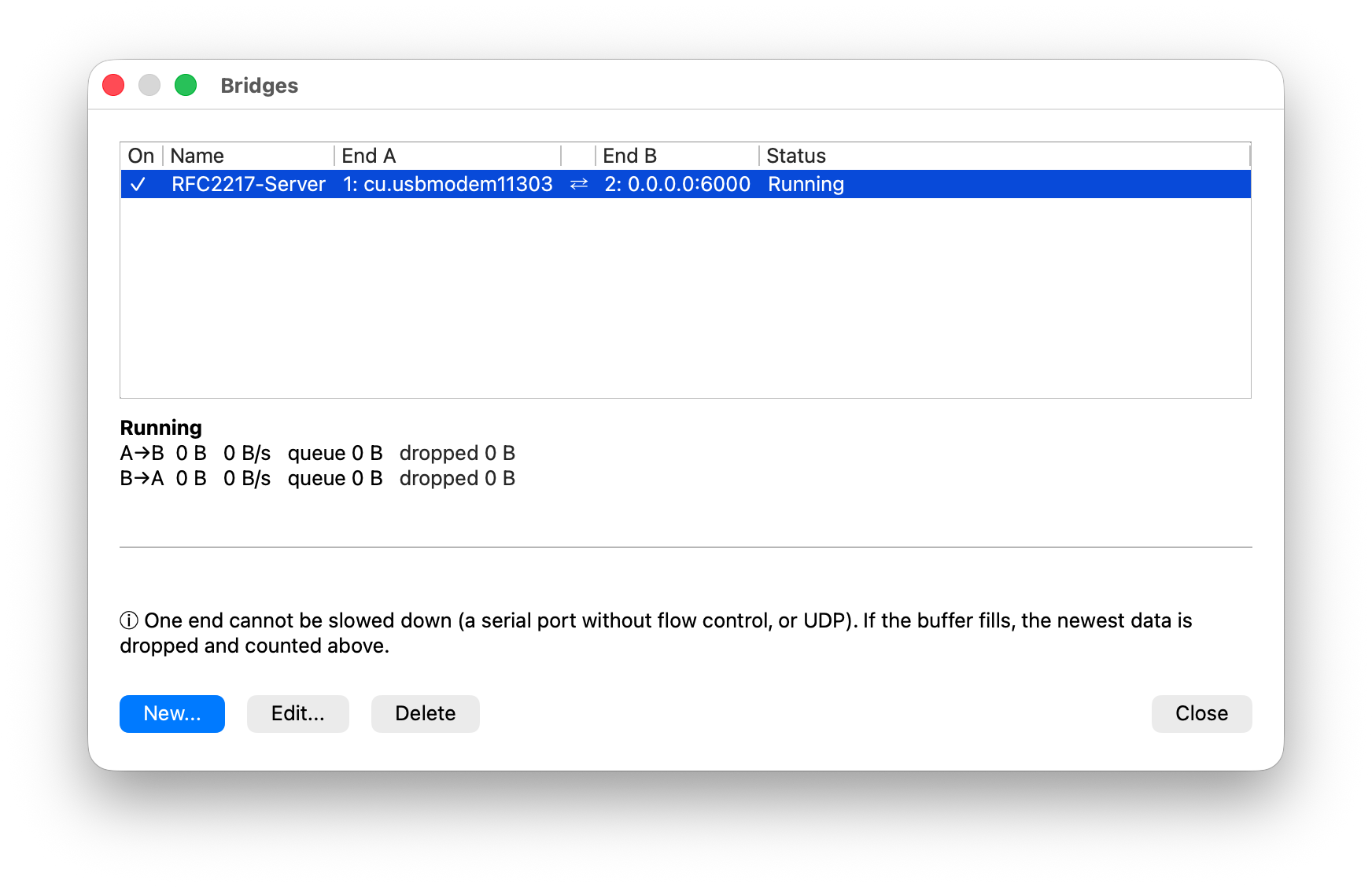
- The bridge manager reports Running, with
droppedstaying at0in both A→B and B→A directions. - The physical serial port is open and the device answers a known command.
For the end that connects to this port, see RFC 2217 client. For end-to-end acceptance and layered troubleshooting across both ends, see Connect directly to a remote serial port with RFC 2217.