On this page
RFC 2217 client (connect to a remote serial port)
An RFC 2217 client uses a remote serial port as if it were local. Beyond carrying data, it can set the remote baud rate, framing, flow control and DTR/RTS from this end.
The peer can be a device server such as a Moxa NPort or ser2net, or another copy of this application running the RFC 2217 server. A plain TCP socket only carries bytes and cannot negotiate serial parameters.
This machine must be able to reach the peer's IP address and port directly, which usually means the same LAN or an already connected VPN. When the site cannot be reached directly, see Choosing a remote access path.
- Pick Remote Serial (RFC 2217) in the Port list.
- Enter a LAN or VPN address that the client can reach directly. The port must match the server's listening port.
- Connect. After TCP comes up, the status bar should also say The remote port accepted serial parameter control.
- Send one known command and verify TX/RX plus the device response before starting the real workflow.
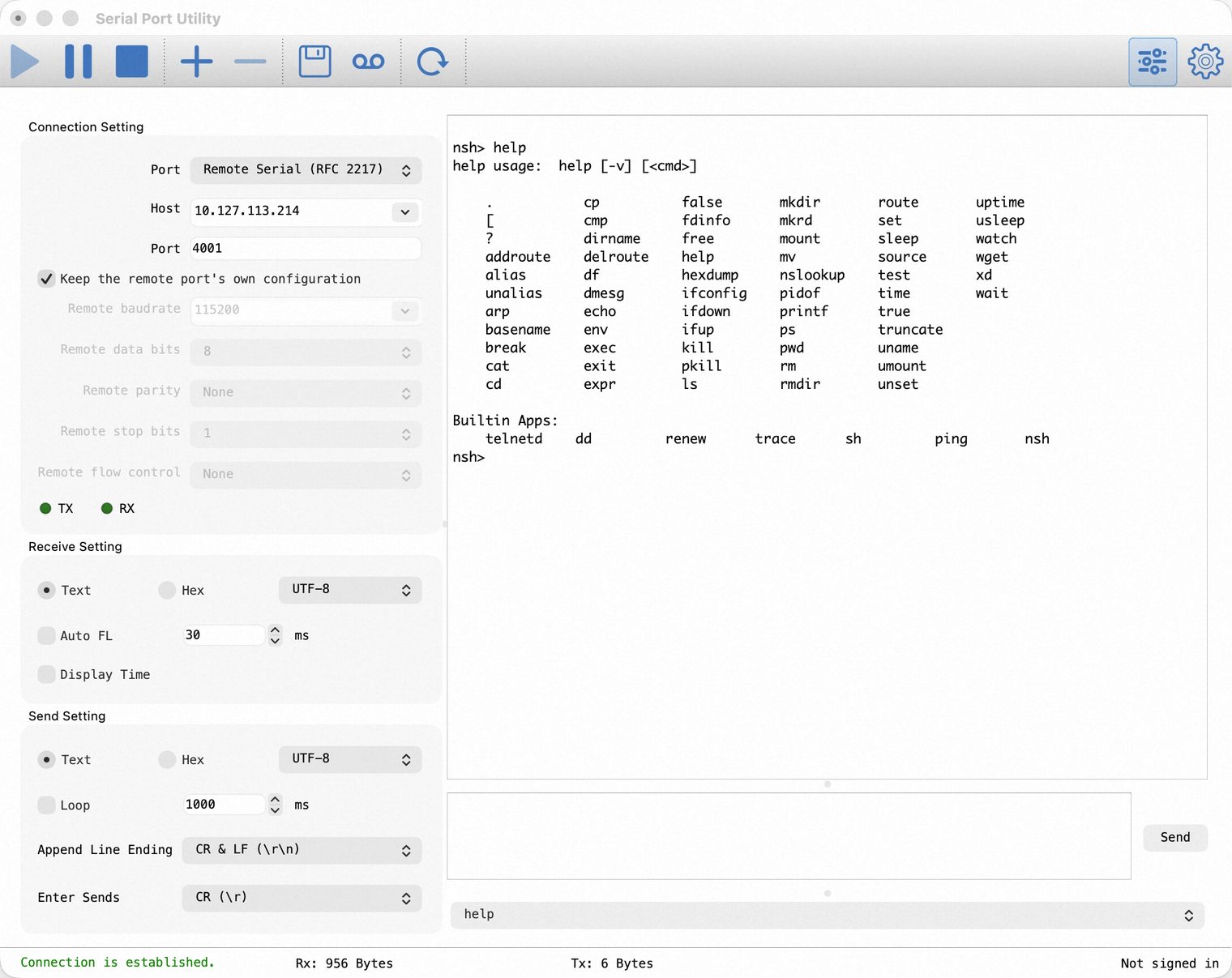
Taking control of the serial parameters
Nothing on the remote changes by default. "Keep the remote port's own configuration" starts ticked, so the parameter fields are disabled. Use this when the device server is already configured.
To take control, clear the tick and set baud rate, data bits, parity, stop bits and flow control. The complete set is sent after agreement; later updates contain only changed fields.
Server replies are recorded but never overwrite the requested values on screen. If the server adjusts a requested baud rate, the status bar reports the rate actually in use.
Client-side checks
- The status bar reports a TCP connection and then The remote port accepted serial parameter control. — the first without the second means the peer is not an RFC 2217 server, or its bridge still uses Transparent mode.
- After clearing "Keep the remote port's own configuration", change one parameter and confirm the remote physical port follows it.
- Send a known command, verify the TX/RX counters change and confirm the device replies.
For garbled data, first verify baud rate, parity and stop bits on the remote physical port. For end-to-end acceptance and layered troubleshooting across both ends, see Connect directly to a remote serial port with RFC 2217.
Gateway mode: join a remote port to a local physical one
To tunnel a remote port to a local physical port, use the bridge's RFC 2217 client protocol. The network end must be a TCP Client aimed at the device server; the other end is the real local serial port.
After agreement, the local port's baud rate, framing, flow control and DTR/RTS are pushed to the remote, keeping both ends on matching parameters.
To operate only the remote port, use the single client connection above instead of this two-ended bridge.
Hand the remote port to other programs
Once connected, the remote port can also be served on a local TCP server, so a terminal program, a script or a virtual COM driver on this computer can use it: focus the pane and choose Cloud → Remote Serial Port to Local TCP Server…. In its default RFC 2217 mode, a client such as pyserial's rfc2217:// can change this remote port's baud rate, framing and control lines, which are passed through to the device server. See Use the remote port from other programs, which covers it for both RFC 2217 and Live Relay connections.